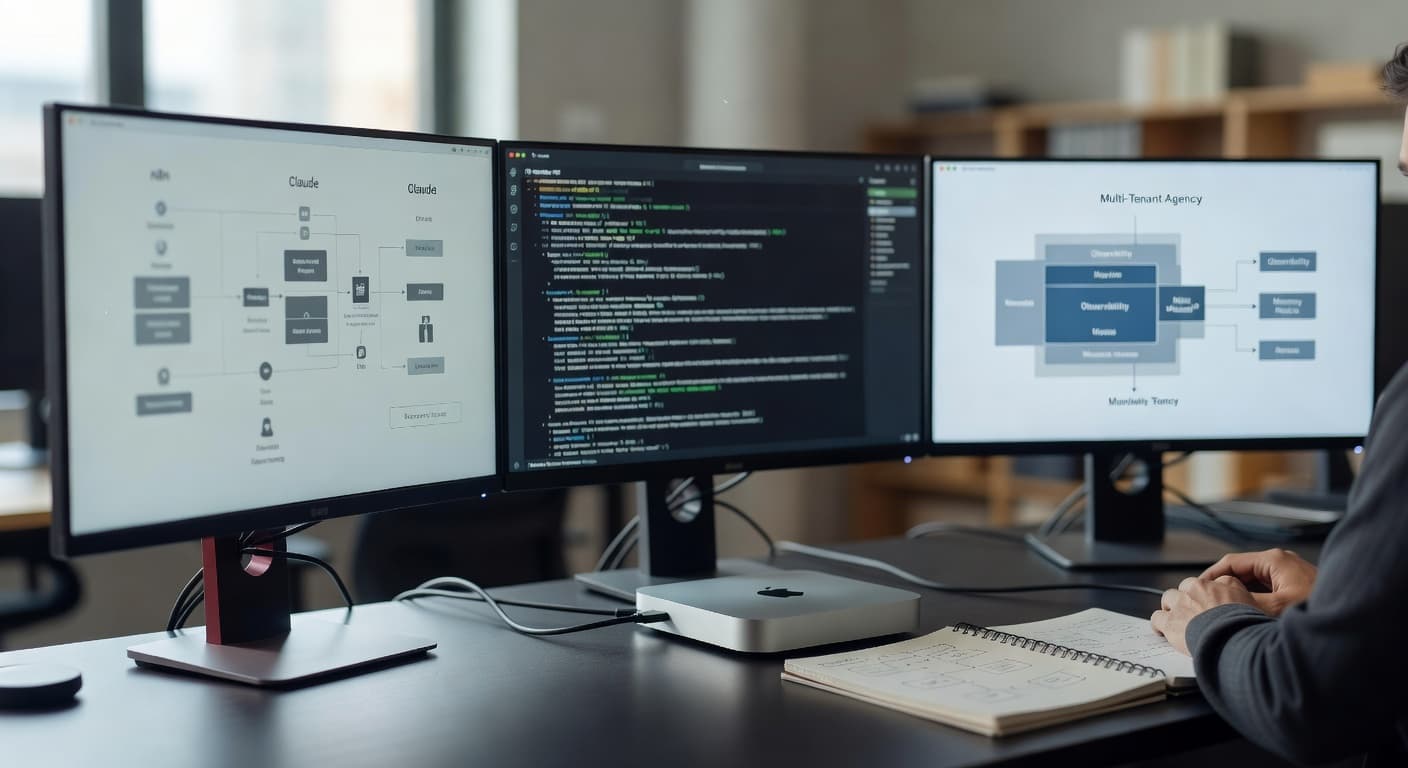
OpenClaw: The AI Agent Gateway I Run Locally on My Mac
Cloud AI agents are convenient until they aren't. Here's how I replaced Zapier AI and hosted assistants with OpenClaw — a local gateway running on my Mac mini that gives my agents access to every tool I actually use.
The Problem With Cloud-Only AI Agents
I started building AI agent workflows the way most people do: ChatGPT with plugins, then Zapier AI, then OpenAI Assistants with custom functions. Each step was an improvement, but every one of them ran into the same fundamental ceiling.
The ceiling is this: cloud-only AI agents are guests on your infrastructure, not residents. They can call the APIs you explicitly expose to them. They can read the data you pipe into them. But they can't touch your actual files. They can't run your local CLIs. They can't see your private calendar without a connector. They can't hold real memory between conversations unless you build it yourself. And every action routes through servers you don't control, adding latency, cost, and surface area for data leakage.
For a marketing consultant or weekend automator, that's fine. For an agency owner running client operations on AI, it starts to matter. I was spending time babysitting integrations instead of building leverage.
What I kept hitting with cloud agent stacks:
- No access to local files — everything had to be uploaded or API-exposed first
- No persistent memory — each session started cold
- Limited tools — whatever the SaaS vendor shipped, nothing else
- Data privacy concerns — client attribution data going through third-party servers
- Per-seat or per-action costs that compound fast at scale
What I actually needed was a runtime layer I controlled — something that lives on my machine, knows my tools, remembers context, and connects Claude's intelligence to everything I actually use day to day.
That's what OpenClaw is.
What OpenClaw Actually Is
OpenClaw is a local AI agent gateway. You install it via npm, start a gateway daemon on your machine, and it becomes the runtime through which Claude (or any AI model) can interact with your real environment — files, CLIs, calendars, APIs, databases, and whatever else you wire in.
It is emphatically not a SaaS. There's no cloud dashboard, no per-seat pricing, no vendor in the middle. It's a Node.js process running on your Mac that exposes a policy-controlled session runtime. Think of it as a local app server for your AI agents.
Getting the gateway running:
# Install globally
npm install -g openclaw

# Start the gateway daemon
openclaw gateway start

# Verify it's running
openclaw gateway status
# → Gateway running
# → gateway.bind: 0.0.0.0:PORT
# → Agents connected: 3
Once the gateway is up, you get a web UI and a companion app for iOS and Android. The companion apps connect over your local Wi-Fi or via Tailscale when you're remote — which means you can prompt your local agents from your phone on the other side of the world, and the work happens on your Mac.
The key architectural point: OpenClaw is the runtime, not the model. Claude is still making the decisions. OpenClaw is what gives Claude hands — the ability to execute actions in your actual environment, access your files, call your CLIs, and maintain memory that persists across sessions.
What the stack looks like in practice:
Cloud Agent Stack:
  Your prompt → SaaS → Cloud LLM → Limited tools → Response

OpenClaw Stack:
  Your prompt → Local Gateway → Claude API → Any tool/CLI/API → Response
                      ↑
              Your files, secrets, memory, local DBs
The model calls are still hitting Anthropic's API — you're paying per token just like with any Claude integration. What you're not paying for is a middleware platform that sits between your prompts and your tools.
Skills — The Module System That Makes It Useful
The piece that makes OpenClaw genuinely powerful is the skills system. A skill is a modular capability pack — a folder containing a SKILL.md file that tells an agent exactly how to use a particular tool or service.
When the agent receives a request that matches a skill's description, it reads the SKILL.mdand follows the instructions. No plugin registration. No code compilation. No API schemas to maintain. Just a well-written markdown file and Claude's ability to follow it.
Where skills live:
# Built-in skills (installed with openclaw)
ls /opt/homebrew/lib/node_modules/openclaw/skills/
# apple-notes  apple-reminders  clawhub  coding-agent
# discord  gh-issues  github  gog  healthcheck
# mcporter  slack  summarize  tmux  weather  ...

# Your custom skills
ls ~/.openclaw/skills/
# automation  cold-outreach  company-research
# competitor-teardown  n8n-self-heal  newsletter-writer
# youtube-script-writer  ...
The built-in skill library covers the tools most people need: Gmail and Google Calendar via the gog skill, Apple Notes and Reminders for macOS, GitHub, Discord, Slack, and a weather skill that needs no API key. Each one is a folder with a SKILL.md that the agent reads on demand.
The custom skills are where the real leverage is. My n8n-self-heal skill gives agents a protocol for diagnosing and repairing broken n8n workflows. My cold-outreach skill produces research-backed 3-email sequences. My automation skill documents how to debug Zapier and Make workflows for VIXI clients.
Creating a custom skill takes about 20 minutes. You write the SKILL.mdlike you're writing instructions for a very smart intern: here's what this skill does, here's the CLI or API it calls, here are the parameters, here's what success looks like. Every agent on the gateway immediately gains that capability.
A minimal custom skill structure:
~/.openclaw/skills/my-skill/
├── SKILL.md          # Instructions for the agent
└── scripts/          # Optional: helper scripts referenced in SKILL.md

# SKILL.md excerpt:
# ---
# name: my-skill
# description: Send a Slack message to #alerts when called.
# ---
# ## Usage
# Call the Slack API with the provided message text.
# Use channel: #alerts unless specified otherwise.
# ...
Multi-Agent Routing With OpenMOSS
OpenClaw handles the runtime — it gives agents their capabilities and keeps them sandboxed. But when you're running multiple specialized agents, you need a coordination layer on top. That's where OpenMOSS comes in.
OpenMOSS is the task queue and orchestration system. It sits at localhost:6565 and manages a shared graph of tasks and sub-tasks that any agent can claim and execute. Think of the relationship this way: OpenClaw is how agents can do things; OpenMOSS is the system that decides what they should do and in what order.
The executor agent lifecycle in MOSS:
# 1. Check for available work
curl http://localhost:6565/api/sub-tasks/available \
  -H "Authorization: Bearer YOUR_API_KEY"

# 2. Claim a sub-task
curl -X POST http://localhost:6565/api/sub-tasks/{id}/claim \
  -H "Authorization: Bearer YOUR_API_KEY"

# 3. Start work, log progress
curl -X POST http://localhost:6565/api/logs \
  -H "Authorization: Bearer YOUR_API_KEY" \
  -H "Content-Type: application/json" \
  -d '{"action":"coding","task_id":"...","sub_task_id":"...","summary":"Working on X..."}'

# 4. Submit deliverable when done
curl -X POST http://localhost:6565/api/sub-tasks/{id}/submit \
  -H "Authorization: Bearer YOUR_API_KEY" \
  -H "Content-Type: application/json" \
  -d '{"deliverable": "File written at /Volumes/ExternalSSD/..."}'
Each agent session is spawned via OpenClaw's sessions_spawnmechanism, which creates a fully isolated sandbox — its own working directory, tool permissions, and memory scope. Agents can run in parallel without stepping on each other's files or API calls.
In practice, my blog post workflow runs like this: A planner agent in MOSS breaks "write a post about X" into three sub-tasks — research, write, deploy. Three executor agents claim one each, work in parallel where possible, and submit deliverables. MOSS tracks what's done and blocks sub-task 2 from starting until sub-task 1 is complete. No manual coordination from me.
OpenClaw vs OpenMOSS in one line:
OpenClaw gives agents their hands. OpenMOSS gives them their marching orders.
My Actual Hardware Setup
Everything runs on a Mac mini (M4) that stays plugged in 24/7. It's the compute hub — quiet, efficient, always-on. OpenClaw gateway, OpenMOSS, n8n, and my project files all live here.
Project files sit on an external SSD mounted at /Volumes/ExternalSSD/Projects/. This separates project data from the boot drive and makes backup straightforward — just clone the SSD.
What's running on the Mac mini:
- OpenClaw gateway — the agent runtime, always running
- OpenMOSS — task queue at localhost:6565
- n8n — workflow automation for integrations that benefit from a visual builder
- Tailscale — secure remote access for iPhone companion app and travel
- Multiple agent workspaces — each agent gets its own directory under
~/.openclaw/
Remote access works via Tailscale. When I'm traveling, my iPhone connects to the Mac mini through Tailscale's encrypted mesh. The OpenClaw companion app connects the same way — from the phone's perspective, the Mac is always reachable at a stable Tailscale hostname regardless of where I am.
Verifying remote connectivity:
openclaw gateway status
# gateway.bind: 0.0.0.0:PORT
# gateway.remote.url: https://mac-mini.your-tailnet.ts.net
# Companion apps: iPhone (connected), iPad (last seen 2h ago)
# Active sessions: 2
The infra cost is a one-time Mac mini purchase plus whatever I pay for Claude API tokens. There's no monthly platform fee for the agent runtime itself. At my usage level, the API costs run me $30–80/month depending on how many long-context operations I run. That compares favorably to per-seat AI tools that would cost $50–200/month per user for equivalent capability.
Memory, Heartbeats, and Agents That Act Without Being Asked
This is the part that no cloud AI agent platform does — and it's the part that makes the stack feel genuinely autonomous rather than just responsive.
Every agent workspace in OpenClaw has a memory system built around flat files. Three types:
- SOUL.md— The agent's identity, role, and behavioral rules. Who this agent is, what it's responsible for, and what it should never do. Read on every session start.
- USER.md — Information about the human the agent serves. Name, timezone, preferences, ongoing projects. Agents tailor responses based on this.
- MEMORY.md — Long-term curated memory. Significant events, decisions, lessons learned. The distilled essence — not raw logs.
- memory/YYYY-MM-DD.md — Daily raw logs. What happened, what was decided, what was produced. Read at session start for recent context.
The heartbeat system is what makes agents proactive. A cron job fires a heartbeat prompt every 30 minutes during waking hours. The agent reads HEARTBEAT.md — a small checklist of things to check — and acts if anything needs attention.
How the heartbeat state is tracked:
// memory/heartbeat-state.json
{
  "lastChecks": {
    "email": 1743685200,    // Unix timestamp of last email check
    "calendar": 1743681600, // Last calendar check
    "weather": null,        // Never checked this session
    "n8n_workflows": 1743674400
  }
}
On each heartbeat, the agent checks what's been checked recently and rotates through what hasn't. Email gets checked every 2–3 hours. Calendar events within 2 hours get a proactive notification. n8n workflow health gets checked once a day.
The behavioral rules that govern this are important: the agent reaches out when there's something worth saying, not just to fill the silence. Casual banter between humans in a group chat? Stay quiet. Urgent email from a client? Surface it immediately. Calendar event in 90 minutes? Send a heads-up. It's designed to be helpful without being annoying — which is a harder problem than it sounds.
The proactive actions agents can take without asking first include: reading and organizing files, checking git status, updating documentation, committing their own workspace changes, and reviewing memory files. Actions that affect the outside world — sending emails, posting to Discord, creating issues — require the human to be in the loop or to have explicitly authorized that action.
Local vs Cloud: The Honest Comparison
I want to be clear: cloud AI agents are not bad. For a lot of use cases, they're the right answer. This isn't a takedown.
But there are real tradeoffs, and I've lived both sides. Here's the honest comparison:
Where cloud agents win:
- Zero setup — you're productive in minutes, not hours
- Collaborative — multiple team members can share the same agent context
- Managed infra — no server to maintain, update, or restart
- Mobile-first — the UX is polished and it works everywhere out of the box
- Integrations — hundreds of pre-built connectors maintained by the vendor
Where local wins:
- Private data stays on your machine — no third-party ever sees your files or client data
- Lower cost at scale — no per-seat fees, just API token costs
- Any tool, any CLI — if it runs on your machine, your agent can use it
- Persistent memory that actually works — files don't forget
- No vendor lock-in — your skills, your workflows, your config
- Proactive agents — heartbeats and crons aren't possible in hosted chat UIs
The thing I keep coming back to: cloud AI agents are fundamentally reactive. You open a chat, you ask something, you get a response. Local agents with OpenClaw can be proactive — they check your calendar, catch broken workflows, draft responses to urgent emails, and surface important information before you think to ask.
For someone running an AI-native agency, that shift from reactive to proactive is the whole game.
Getting Started With OpenClaw
If you want to try this yourself, here's the straightforward path. Prerequisites: Node.js, npm, and a machine that can stay on. A Mac is ideal, but Linux works fine for the core runtime.
1. Install and Start the Gateway
# Install OpenClaw globally
npm install -g openclaw

# Start the gateway daemon
openclaw gateway start

# Verify it's running
openclaw gateway status
2. Install Your First Skill
Start with something low-stakes that proves the concept. The weather skill needs no API key and shows you how skill loading works. Once that's working, try apple-reminders to connect to your actual task list.
# Install a skill from ClawHub
openclaw skills install weather

# Test it by asking your agent:
# "What's the weather in Allen, TX this weekend?"
3. Pair the Mobile App
Download the OpenClaw companion app on iOS or Android. Connect via QR code on your local network. Once paired, you can send prompts to your local agents from anywhere — Tailscale handles the secure tunnel when you're off your home network.
4. Set Up Your Agent Workspace
Each agent gets a workspace folder. At minimum, write a SOUL.md that describes who the agent is and what it's responsible for, and a USER.md with basic info about you. These files are read at the start of every session and shape how the agent operates.
~/.openclaw/workspace/
├── SOUL.md        # Who this agent is
├── USER.md        # Who it serves
├── MEMORY.md      # Long-term curated memory
├── AGENTS.md      # Behavioral rules
├── HEARTBEAT.md   # Checklist for proactive checks
└── memory/
    ├── 2026-04-03.md   # Today's raw log
    └── 2026-04-02.md   # Yesterday's log
5. Connect Your Calendar and Email
The gog skill handles Gmail and Google Calendar via the gogCLI. Once authenticated, your agent can read your inbox, check your schedule, and draft replies. That's when it starts feeling genuinely useful rather than just novel.
After a week of this, you'll have an agent that knows your calendar, remembers your ongoing projects, and can proactively surface what needs attention — without you having to open a chat and ask.
The Stack I'd Build Again
I've been running OpenClaw for several months now and the thing I keep noticing is how the stack compounds. Every new skill I write makes every agent on the gateway more capable. Every memory file that gets written makes the agents smarter about my context. Every heartbeat check that surfaces something useful before I had to ask shifts the dynamic from me managing tools to tools managing for me.
Right now my agents write blog posts (this one was outlined and written by a MOSS executor agent), manage my calendar, monitor n8n workflows and self-heal broken ones, draft responses to client emails, and pull weekly attribution reports from Hyros. I'm not supervising all of this — the system runs and surfaces what needs human judgment.
Is this for everyone? No. There's real setup time. You need to be comfortable in a terminal. You need to write good SOUL.md and skill files or the agents will underperform. For a freelancer doing occasional automation projects, a cloud agent is faster to start with and probably the right call.
But if you're building an AI-native business — if AI agents are a core part of how you deliver value to clients — local control is worth it. Your data stays with you. Your costs stay predictable. And your agents can do things that hosted assistants simply cannot.
Want to see how I've wired this up?
I consult with agency owners and marketing teams on AI automation stacks — from OpenClaw setup to full multi-agent workflows. If you're thinking about building something like this, reach out.
Frequently Asked Questions
What's the difference between OpenClaw and OpenMOSS?
OpenClaw is the local AI agent gateway — the runtime that connects Claude and other AI models to your local tools, files, and APIs via a skills system. OpenMOSS is the orchestration layer on top — it manages the task queue and coordinates which agents work on what. Read the OpenMOSS post for a full breakdown.
Can I run OpenClaw on a Linux server instead of a Mac?
Yes. The core gateway, skill system, and agent sessions all work cross-platform. Mac-specific skills (Apple Notes, Apple Reminders) won't work on Linux, but everything else does. For a headless server deployment, connect via the web UI or Tailscale instead of the companion app.
Does OpenClaw work with models other than Claude?
OpenClaw is designed to work with multiple AI models. It primarily uses Claude (Anthropic's API) as the default, but the gateway can route to other models. The skills system is model-agnostic — skills provide instructions via SKILL.md files that any capable LLM can follow.
How do I create a custom OpenClaw skill?
Create a folder under ~/.openclaw/skills/your-skill-name/ and add a SKILL.md file describing what the skill does, what CLI or API it calls, and how to use it. No plugin registration or code compilation needed — just a well-written markdown instruction file. Every agent on the gateway immediately gains that capability.
Related Posts
AI Agents
Claude Code GitHub Actions Cost: The Real Math
Claude Code in GitHub Actions bills two lines: runner minutes at $0.006/min and Claude tokens. The minutes are noise. The tokens cost more than on your laptop because a fresh runner never hits the prompt cache — so every run re-reads your system prompt, tools and CLAUDE.md at full price, whether the PR changed 400 lines or one. The unit of cost is the run, not the diff.
AI Agents
Claude Code Auto Mode: Does It Cost Extra Tokens?
Claude Code v2.1.278 moved auto mode’s safety classifier onto the server and stopped charging for it on Claude API and Enterprise accounts. But a gateway that drops the safeguards field puts you straight back on the billed path. How to check with /status, which actions skip the classifier entirely, why subagents multiply the count, and whether CLAUDE_CODE_AUTO_MODE_SERVER=0 is worth setting.
AI Agents
Claude Code Projects: Parallel Threads, Real Costs
A project is one coordinating conversation plus a full cloud session per task — own context window, own branch, own pull request. How a thread differs from a subagent, an agent team and a worktree, the defaults that burn your plan fastest (Opus at high effort on every thread), the 200-threads-a-day ceiling, and the sandbox failure that silently drops uncommitted work.