Nano Banana 2.1 vs Pro vs Lite: Gemini Image API Tested
Make Nano Banana 2.1 (gemini-nano-banana-2.1) your default Gemini image model, use Nano Banana 2 Lite when you need speed at 1K, and pay for Nano Banana Pro only when a prompt actually needs it. I sent the same prompt to all five Nano Banana models today. At 2K, 2.1 costs $0.0504 per image, half of Nano Banana 2 ($0.101) and well under Pro ($0.134). It's also a few seconds slower than Nano Banana 2. And if you're still on gemini-2.5-flash-image, it shuts down March 15, 2027.
Which Nano Banana Models Can You Call Right Now?
Five, and Google renamed half of them along the way. Here's the current state from the Gemini deprecations page, checked November 1, 2026:
| Model ID | Name | Status | Google's replacement |
|---|---|---|---|
gemini-nano-banana-2.1 | Nano Banana 2.1 | GA Oct 6, 2026 | - |
gemini-3.1-flash-lite-image | Nano Banana 2 Lite | GA Jun 30, 2026 | - |
gemini-3.1-flash-image | Nano Banana 2 | Deprecated Oct 6, no shutdown date | gemini-nano-banana-2.1 |
gemini-3-pro-image | Nano Banana Pro | GA May 28, 2026 | - |
gemini-2.5-flash-image | Nano Banana | Shuts down Mar 15, 2027 | gemini-3.1-flash-lite-image |
Two things on that table aren't obvious. First, the 2.5 model's official replacement is Lite, not 2.1. Second, Nano Banana 2 only went GA on May 28 and was already deprecated four months later. If you wired an app to gemini-3.1-flash-imagethis summer, you're now on a deprecated model with no end date. That's not urgent, but it's a migration you'll want to plan.
How Much Does Each Nano Banana Model Cost per Image?
Google bills image output as tokens and translates them into per-image prices on the Gemini API pricing page. I checked those token counts against usageMetadata on every response and they matched: 1,120 image tokens at 1K, 1,680 at 2K, 3,780 at 4K on 2.1, and 1,290 on the 2.5 model.
| Model | 512 | 1K | 2K | 4K | Batch, 2K |
|---|---|---|---|---|---|
| Nano Banana 2.1 | 400 error | $0.0336 | $0.0504 | $0.113 | $0.0252 |
| Nano Banana 2 Lite | 400 error | $0.0336 | 400 error | 400 error | 1K only: $0.0168 |
| Nano Banana 2 | $0.045 | $0.067 | $0.101 | $0.151 | $0.050 |
| Nano Banana Pro | - | $0.134 | $0.134 | $0.24 | $0.067 |
| 2.5 Flash Image | - | $0.039 | ignored, 1K | ignored, 1K | 1K only: $0.0195 |
The catch with 2.1 is thinking. It reported 676 to 975 thoughtsTokenCounton every image, billed at $7.50 per million. That's roughly half a cent, so a 2K image lands near $0.056 all in. Pro thinks too, but only 73 to 223 tokens. Lite, Nano Banana 2 and 2.5 reported none.
One more quirk: on every 3.x model, candidatesTokenCountcame back a few hundred tokens higher than the image tokens plus thinking, and the response doesn't say what those are. Budget from the IMAGE modality count plus thinking, and leave a cent of slack per image.
At volume, the gap gets real. 10,000 images a month at 2K is about $1,340 on Pro, $1,010 on Nano Banana 2 and around $570 on 2.1 with thinking included. If the images aren't user-facing in real time, batch mode halves those, the same trade I wrote about in my Claude Batch API post.
Which Gemini Image Model Is Fastest?
Lite, by a mile. Wall-clock time per generateContent call from a Mac mini in Texas, 16:9, at least two runs per cell:
| Model | 1K | 2K | 4K | Thinking tokens |
|---|---|---|---|---|
| Nano Banana 2 Lite | 2.6-3.4 s | - | - | none reported |
| 2.5 Flash Image | 4.7-5.1 s | - | - | none reported |
| Nano Banana 2 | 8.8-8.9 s | 14.3-15.6 s | not run | none reported |
| Nano Banana 2.1 | 10.3-12.7 s | 18.3-19.0 s | 29.0-29.1 s | 676-975 |
| Nano Banana Pro | 15.0-15.6 s | 19.1-22.0 s | 30.1-31.1 s | 73-223 |
2.1 is cheaper than Nano Banana 2 but not faster.The thinking step adds roughly 1.5 to 4.5 seconds per image. At 4K it's basically tied with Pro at around 30 seconds, and the 4K JPEG is about 7.8 MB, so expect a response body over 10 MB once it's base64-encoded. Set your HTTP timeout accordingly.
Does Nano Banana 2.1 Look as Good as Pro?
On my prompt, yes. Here's the 1K output from each model, same prompt, first run, plus a second 2.1 run:
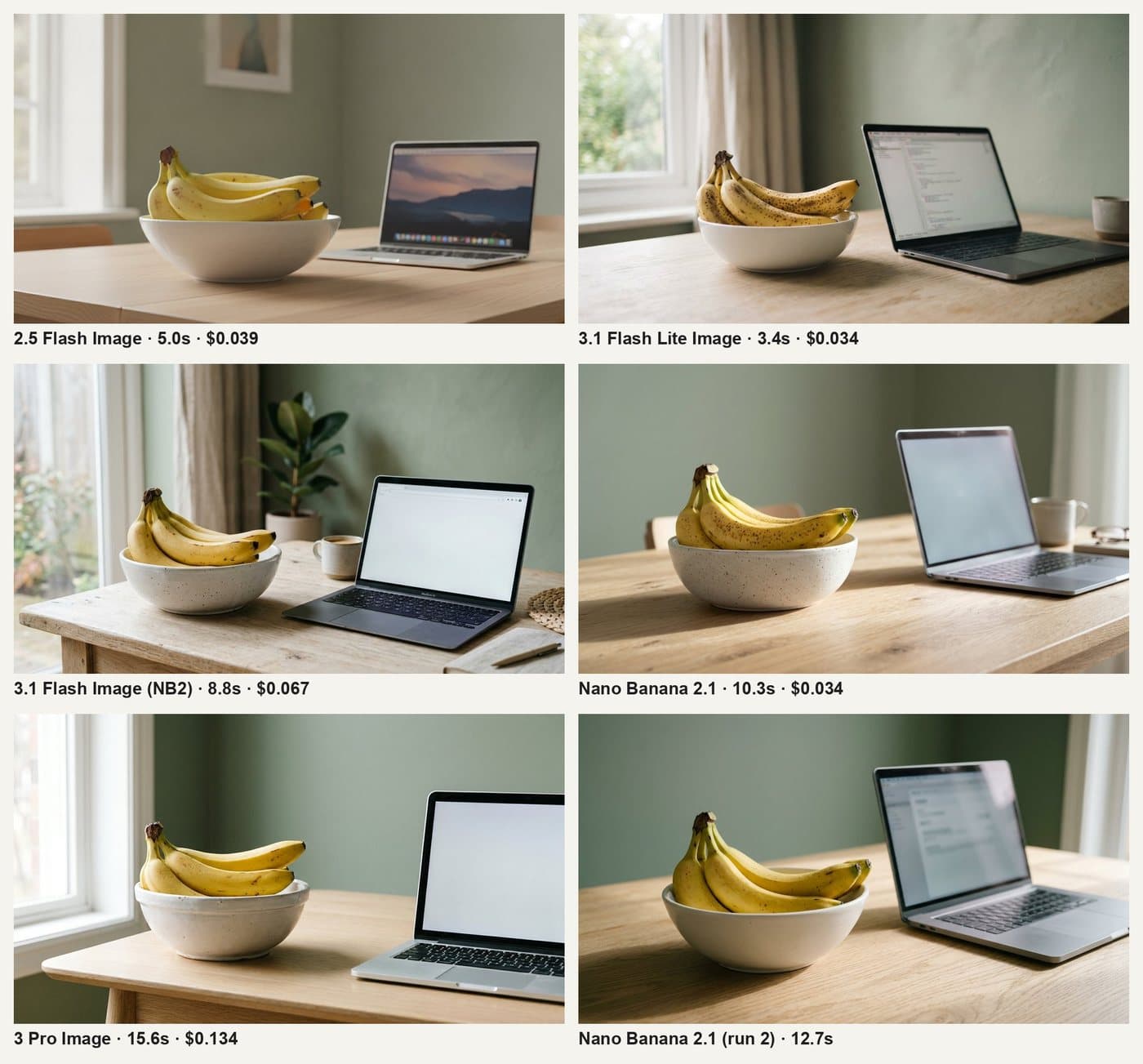
All five followed the prompt. Nano Banana 2 printed a laptop-style wordmark on the bezel even though I asked for no logos. Pro framed the laptop half out of the shot. The 2.5 model drew a mushy row of dock icons. One prompt isn't a quality benchmark, and Pro may still earn its price on text-heavy layouts or multi-image edits, which I didn't test. For blog-style photos, though, I can't see what $0.08 more per image buys. (For Google's text models, see my Gemini 3.1 Pro review.)
What Breaks When You Switch Gemini Image Models?
The request shape is the same for all five. What each model accepts isn't. These came back from my probes:
gemini-3.1-flash-lite-image  imageSize 2K   -> 400 "Image size 2K is not supported for this model"
gemini-3.1-flash-lite-image  imageSize 512  -> 400 "Image size 512 is not supported for this model"
gemini-nano-banana-2.1       imageSize 512  -> 400 "Image size 512 is not supported for this model"
gemini-3-pro-image           aspectRatio 8:1 -> 400 "Aspect ratio 8:1 is not supported for this model"
gemini-2.5-flash-image       imageSize 2K   -> 200, 1344x768 PNG (size silently ignored)
Lite is 1K only
If your 2.5 code sends imageSize: "2K" (it was silently ignored there), moving to Lite turns that into a hard 400. Drop the field or set it to 1K.
2.1 dropped 512
Nano Banana 2 still renders a 688x384 thumbnail for $0.045. 2.1 refuses. If you generate small previews, Lite at 1K costs less than Nano Banana 2 at 512 anyway.
PNG became JPEG
gemini-2.5-flash-image returned image/png at about 1.36 MB. Every 3.x model returned image/jpeg. If you save to a hardcoded .png path or pipe into something that expects PNG transparency, read inlineData.mimeType instead.
No model gives you 1920x1080
16:9 comes back as 1376x768 at 1K, 2752x1536 at 2K and 5504x3072 at 4K. The 2.5 model gives 1344x768. Panoramic 8:1 works on 2.1, Nano Banana 2 and Lite (2928x352) but not on Pro.
Dead preview IDs still answer
gemini-3-pro-image-preview, nano-banana-pro-preview and gemini-3.1-flash-image-previewall have a June 25, 2026 shutdown date. All three returned 200 with an image today. Don't read that as permission. A model past its date can disappear without another notice, so swap the ID now while it's a one-line change.
Here's the request I use, against 2.1:
curl -s -X POST \
  "https://generativelanguage.googleapis.com/v1beta/models/gemini-nano-banana-2.1:generateContent" \
  -H "x-goog-api-key: $GEMINI_API_KEY" \
  -H "Content-Type: application/json" \
  -d '{
    "contents": [{"parts": [{"text": "Overhead photo of five bananas on cobalt blue. No text."}]}],
    "generationConfig": {
      "responseModalities": ["IMAGE"],
      "imageConfig": {"aspectRatio": "16:9", "imageSize": "2K"}
    }
  }' > out.json
# image bytes: candidates[0].content.parts[].inlineData.data (base64)
# billing:     usageMetadata.candidatesTokensDetails (IMAGE) + thoughtsTokenCount
Which Nano Banana Model Should You Migrate To?
- On gemini-2.5-flash-image:go to Lite. It's Google's pick, it was faster (about 3 s vs 5 s) and slightly cheaper in my runs, and you were only ever getting 1K anyway. Fix the PNG assumption.
- On Nano Banana 2: go to 2.1. You pay half for the same sizes and give up 512 and a couple of seconds.
- On Nano Banana Pro for photos:test 2.1 on 20 of your real prompts. At 2K it's well under half the price. Keep Pro only for the prompts where it clearly wins on your own samples.
- Need a live UI to feel instant: Lite. Nothing else came close to 3 seconds.
Whatever you pick, keep the model ID in config, not in code. Google has shipped five image IDs and deprecated four previews in 18 months. If you route several providers, a gateway makes this easier, which I compared in LiteLLM vs OpenRouter.
Why I Care: My Blog Hero Pipeline
Every post on this blog gets a generated hero image. Since September 9 that pipeline has mostly run on gemini-3-pro-image. That was the day my xAI key was still dead and my local ComfyUI box (the one from my ComfyUI best-practices post) was offline too. It's been reliable, with one bad morning: a 503"high demand" error and then a timeout on the retry.
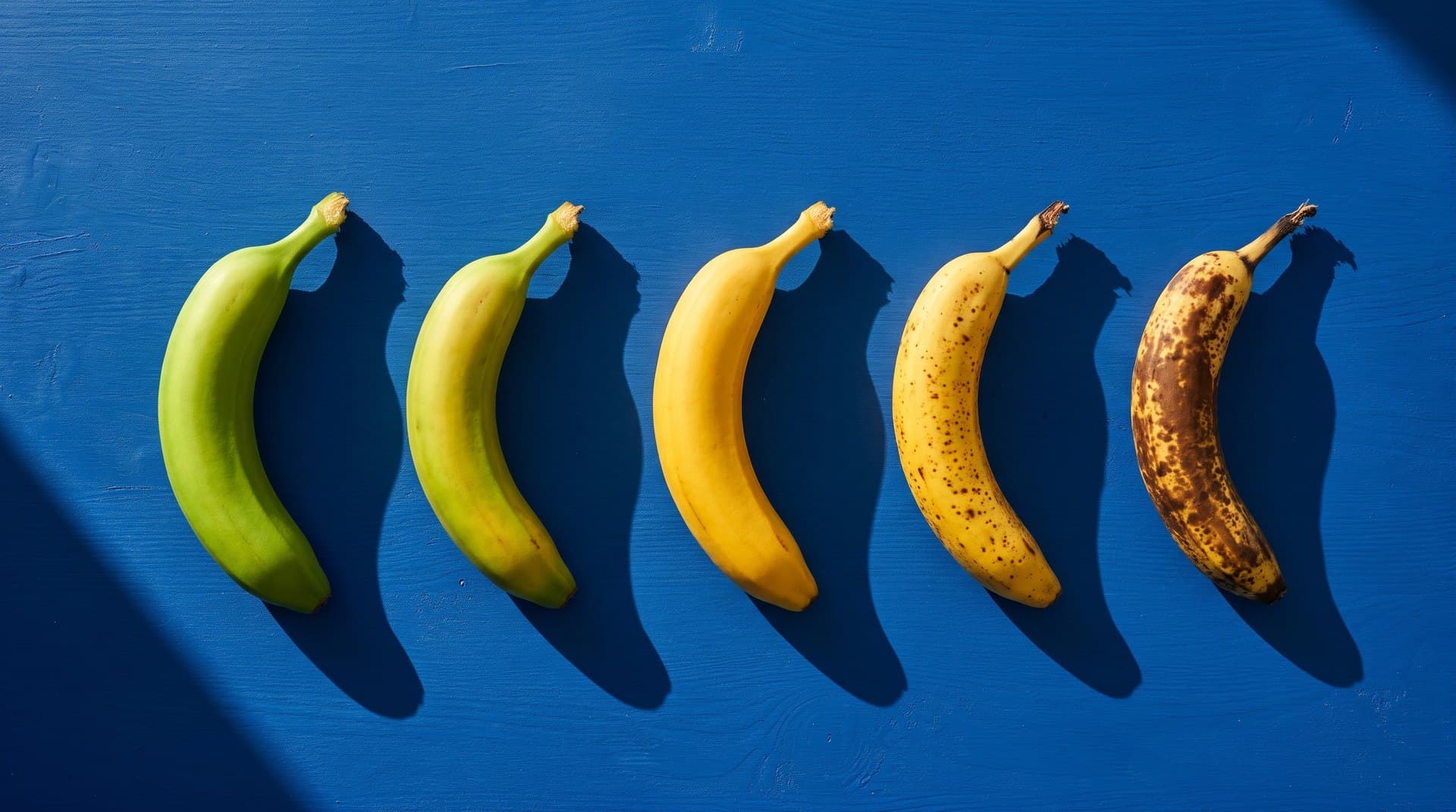
The bananas at the top of this page came from 2.1 at 2K, first try, for about five and a half cents. Pro would have charged $0.134 for the same size. On these numbers, Pro shouldn't be the default for this job anymore.
Frequently Asked Questions
Is Nano Banana 2.1 cheaper than Nano Banana Pro?
Yes, by a lot. Google's standard price is $0.0504 per 2K image for gemini-nano-banana-2.1 and $0.134 for gemini-3-pro-image. 2.1 also bills 700 to 1,000 thinking tokens per image at $7.50 per million, which adds about half a cent. At 4K it's $0.113 against $0.24.
When does gemini-2.5-flash-image shut down?
March 15, 2027, per Google's deprecations page. The recommended replacement is gemini-3.1-flash-lite-image (Nano Banana 2 Lite). In my test Lite was faster (about 3 seconds against 5) and cheaper ($0.0336 against $0.039), but it returns JPEG instead of PNG, so check any code that assumes a file type.
Is gemini-3.1-flash-image (Nano Banana 2) shutting down?
It was deprecated on October 6, 2026, with no shutdown date announced, and Google points to gemini-nano-banana-2.1 as the replacement. It still returned 200 on November 1, 2026. Some third-party pages claim an October 29 shutdown; the official deprecations table doesn't say that.
What resolution does a 16:9 Gemini image come back at?
On the 3.x models: 1376x768 at 1K (the default), 2752x1536 at 2K, and 5504x3072 at 4K. gemini-2.5-flash-image returns 1344x768 and ignores imageSize. None of them give you 1920x1080, so plan to resize.
Do the Nano Banana models have a free tier on the API?
No. Google's pricing page lists the free tier as 'Not available' for every Nano Banana image model, so you need billing on the project. Batch mode halves the price if you can wait.
How I Tested This
November 1, 2026, Gemini API paid tier, REST v1beta generateContent from a Python script on a Mac mini in Allen, Texas. 37 calls total: 24 in the main matrix (five GA models, default size plus 2K, plus 4K on 2.1 and Pro, two runs each), 3 against preview IDs, 9 size and aspect-ratio probes, and 1 for the hero. One prompt for the matrix, aspectRatio 16:9, responseModalities ["IMAGE"], all other settings default. Latency is wall-clock per call, models run in parallel threads, calls within a model in sequence. Token counts come from usageMetadata, dimensions from the returned files, and prices from Google's pricing page that day. Google's changelog is where new IDs land first, so check it before you trust any table here, mine included.
Generating Images at Volume?
I build image pipelines that pick the right model per job, batch what can wait, and don't break when Google renames something. Tell me what you're generating and how many.
Related Posts
AI Models
Claude API 2026-10-21: What Breaks When You Upgrade
API version 2026-10-21 returns 400 for temperature, top_p and top_k on every model, even temperature 1.0, and the new SDKs move your key to Authorization: Bearer. I ran the grid against the live API and a header-logging proxy to show what breaks and how to fix it.
AI Models
ComfyUI Prompt Outputs Failed Validation: API Fix
ComfyUI's validation error is an HTTP 400 whose real reason lives in node_errors. Tested 11 broken graphs on ComfyUI 0.33.0, found a 200 response that silently skips broken outputs, and built a preflight against /object_info that catches all of them.
AI Models
ComfyUI API /history Empty? Why and the Fix
ComfyUI only writes a history entry when a job finishes, so an empty /history/{prompt_id} can mean still running, never accepted, wiped by a restart, or evicted. Checking /queue tells them apart; status_str and the actual file tell you if it worked.